Description

Zach Reinhardt – Blender Launch Pad
Learn everything important to kickstart your Blender journey.
Tired of learning Blender from random YouTube tutorials?
Starting Blender can be quite overwhelming, and learning from random YouTube videos can slow down your progress, since you won’t have a clear path to follow.
That’s why we created this course to teach you all Blender fundamentals in the most straightforward way, so you don’t miss anything important.
Learn navigation, modeling, texturing, animation, lighting, rendering and much more, while creating your own beautiful 3D animation with an easy-to-follow project.
P.S. We love the Blender content on YouTube, but save if for after learning the Blender fundamentals properly.
WHAT’S INSIDE?
Part 1 – Car Animation Project
- Chapter 1 – 3 – User Interface, Navigation and more
Learn how the user interface works, how to navigate, how to work with objects and much more. These chapters are especially important to get the hang of Blender and make the following chapters more enjoyable.
- Chapter 4 & 5 – Modeling Fundamentals and Exercise
Learn all the important modeling fundamentals, workflows, tools and how to solve certain modeling problems. We will practice modeling by creating a car and environment assets, step by step.
- Chapter 6 & 7 – Shading Fundamentals and Exercise
Learn all important fundamentals on how to work with materials in Blender (this is called “shading”). We will practice shading by colorizing all assets which were modeled in the previous chapters.
- Chapter 8 & 9 – Particle Simulation and World Creation
Learn all important fundamentals about the particle simulation, and how to assemble all previously created assets into a big desert scene.
- Chapter 10 & 11 – Lighting Fundamentals and Exercise
Learn all the important fundamentals on how to work with lights in Blender. We take a look at different light types, important settings, how to use the background to light up your scene and how to work with indirect and volumetric lighting.
- Chapter 12 & 13 – Animation Fundamentals and Exercise
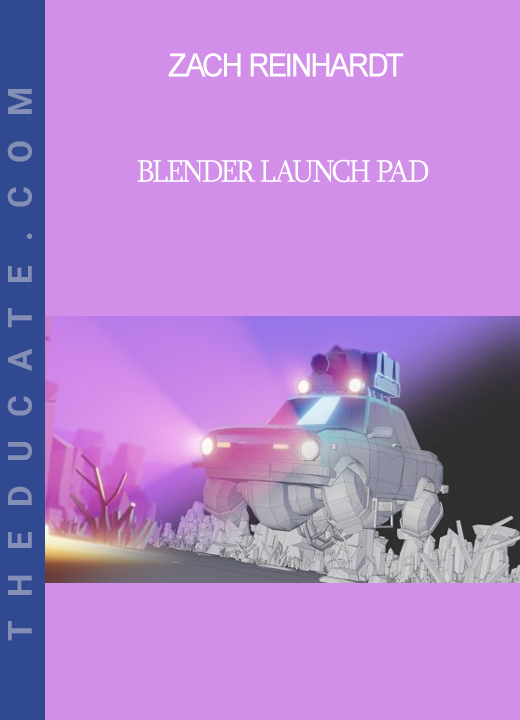
Learn all important fundamentals on how to animate 3D objects, properties and shapes. We will also animate the flying car, different camera shots and crashing the car into a rock.
- Chapter 14 & 15 – Animation Fundamentals and Exercise
Learn all fundamentals on how to render out an animation and convert it into a video file you can share with the world. The animation above is the final result of this course.
Part 2 – UV Mapping & Texturing
- Chapter 16 – UV Mapping Fundamentals and Exercise
Learn all important fundamentals on how UV mapping and UV unwrapping works. This is the foundation we need in order to get into texturing in the following chapters.
- Chapter 17 & 18 – Texturing & Texture Painting Fundamentals
Learn how to use textures in the shader editor and how flexible you can adjust them. We will also create semi-realistic materials on the fly, use PBR textures and much more. Additionally, we will dive into texture painting, for manually painting textures for our 3D models.
- Chapter 19 & 20 – Texturing Exercise and Baking Textures
Here we will practice everything we have learned in the previous texturing chapters and texture a CG Boost barrel from scratch. To make this barrel usable in other 3D tools and Game Engines, we will bake down the material into practical PBR texture maps.
WHO IS THIS FOR?
This course is specifically designed for absolute beginners – with NO or just basic knowledge of Blender.
It can also help intermediate users to solidify their fundamentals.
It’s also recommended for anyone switching from a different 3D software to Blender.
INSTRUCTOR(S)
Your guide(s) on this journey.
Zach Reinhardt
I fell in love with 3D the first time I opened Blender in 2004. From my first freelance jobs, to my first teaching experiences, my passion for telling stories in 3D and teaching my experiences to others grew. All of this led me to founding CG Boost in 2019, where I carefully craft Blender courses to make your learning process an enjoyable journey.
Sale Page: https://www.cgboost.com/courses/blender-launch-pad
Archive: https://archive.ph/wip/i9rZz



Reviews
There are no reviews yet.